
The free evaluation version allows you to try all available features of the FolderMill – server-side document conversion and printing software.
Latest release – Version 5.2 (April 10, 2024)
- New Convert to XLSX Action (works if your source files are XLS)
- New supported file format: WebP file format (.webp)
- New FolderMill Report utility
- Pause/resume specific Hot Folders via the command line
- Convert to PDF Action: Selecting page range for specific pages to be OCRed (OCR page range).
- New OCR languages: Italian and Chinese Simplified
- Rename document Action: New macros with Email metadata (Delivery timestamp, From..., To..., Subject), new EXIF metadata (GPS Latitude, GPS Longitude)
- Enhanced internal component for better processing of DWG and DXF drawings
- Compatibility with the latest eDrawings Viewer 2024 and its API
- Integration of Autodesk Inventor API
- Send to Email Action: Sending multiple files at once as attachments
- And more
Limitations of the Free Version
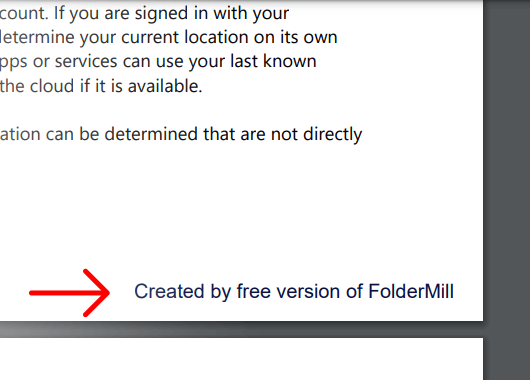
The free version of FolderMill is a full-featured version of the program, except that it adds a small watermark "Created by free version of FolderMill" to every converted page or image. And a cover page is inserted between every printed document.
Alternatively, you can choose to add a watermark to your printouts (instead of inserting a cover page) or output files. You can do it in the program's General Settings.
Trial Version
If it is essential for you to test the program with no limitations, you can request a trial version. The trial version of FolderMill works exactly like the full-featured commercial version, but it is time-limited by two weeks (14 days). Please get in touch with us if you want to get it.
System requirements
- Microsoft Windows 11 / 10 / 8 / 7 (32-bit or 64-bit system)
- or Microsoft Windows Server 2008 / 2012 / 2016 / 2019 / 2022 (or newer)
- Intel Core i3 or AMD Athlon II X2 processor or better processor
- 4 GB RAM or more
- Hard Drive free space: 278 Mb for program files, min 100 Mb for output files (depending on expected charge), 100 Mb of system disk space for a swap-file
- Required software: Microsoft NET Framework 4.5