
The new FolderMill 5.6 release includes several customer-requested enhancements. In this update, we focused on improving email integration and adding more printing options to streamline your automated workflows.
What's new in FolderMill 5.6
New features for improved email automation
- Added OAuth 2.0 authentication method for IMAP and SMTP. This modern authentication method works for the Send to Email Action, using Email as Source, and sending alert notifications via SMTP. See our new how-to article on OAuth 2.0 configuration
- Improved Enhanced filtering option that applies email filters ("Subject:", "From:", etc.) locally instead of relying solely on the mail server, which makes filtering more precise
- Improved IMAP connection logging: More detailed messages are now displayed when testing mailbox connections via the Test button
Print document Action enhancements
- Prevent printer queue overload: Wait until printer queue is: Empty / Less or equal than X jobs – this new feature allows preventing printer spooler overload (related issue: when there were many print jobs in the queue at the same time, the spooler could malfunction and lose some jobs in the process)
- Duplex control: New ability to always print the first page on the front side of the paper sheet (Print document on front side of paper in duplex mode) when using Duplex mode alongside Single Print Job mode. Available options: For first copy only, For each copy
- Send each copy separately to the printer – Optional sending each document copy as a separate print job
- New Cover page template: Blank allowing to use a blank paper sheet as a cover page. You can now easily separate print jobs and waste less paper
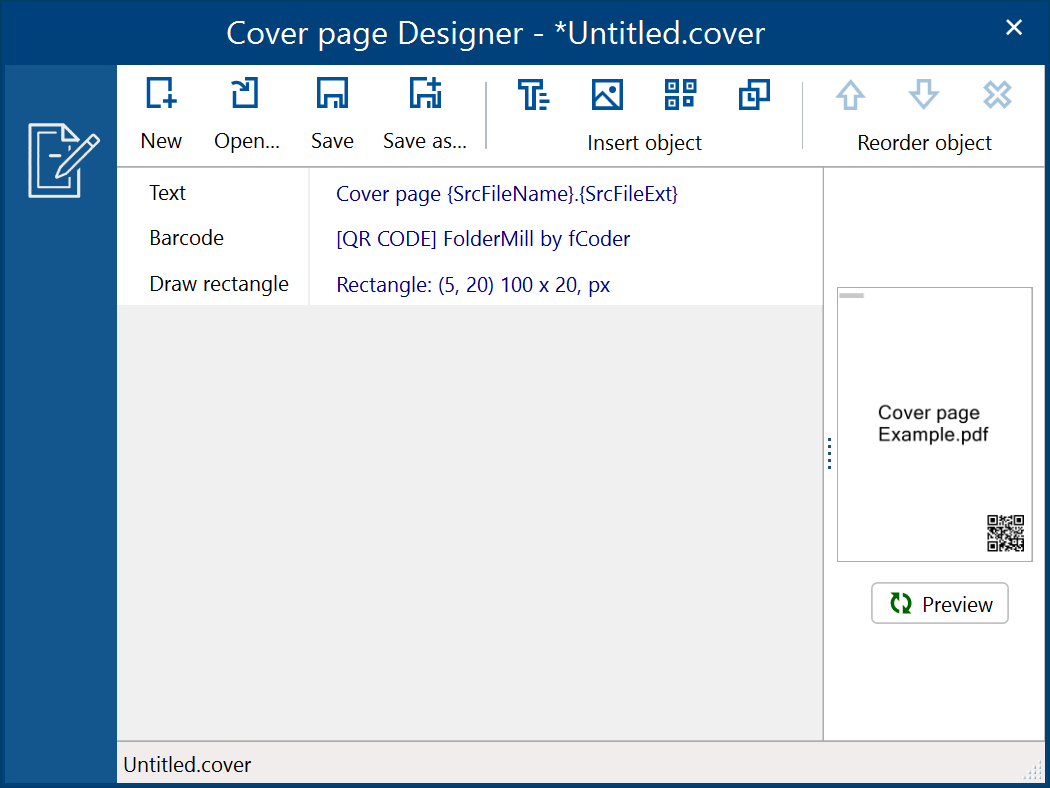
Overhauled Cover page Designer
Other improvements
- Flatten PDF: New option to Flatten PDF (non-searchable text) setting can rasterize PDFs, making text non-searchable and non-editable
- New Action Break can interrupt processing the current file in a series of Actions
- Metadata Macros: Added support for metadata macros in all "Convert to…" Actions, enabling dynamic folder paths based on source details such as email subject or delivery time — directly in the Output folder path. To insert such a macro, right-click the Output folder path input and choose Output folder macro
- Rename document Action: Added
{*SrcFilePages}macro indicating the file's total number of pages - New ability to set Custom priority for Hot Folders allows setting precise numeric priorities instead of Low/Medium/High only. (Hot Folder Settings → Advanced settings → Priority). Also, make sure to Enable extended features in the General Settings to make it work
- Resize document Action: Added options to change Rasterization resolution and Rasterization anti-aliasing
- Fixed TIFF-to-PDF OCR conversion error related to missing fonts ("Cannot create or find the font "GlyphLessFont" error)
- Minor localization and interface improvements
New supported formats
- Comic book archive CBR and CBZ (.cbr, .cbz) – as requested by customers for TIFF/PDF conversion
- CAD: Added support for eDrawings 2026 API
View full list of supported file formats →
Knowledge base
- New how-to article: How to Configure Office 365 / Outlook OAuth 2.0 with Unattended (App-Only) Access for FolderMill Email Automation
- Updated how-to article: ZPL to PDF: Automate Zebra Label PDF Conversion and Printing on Windows
- New how-to article: How to Automate Printing Labels with FolderMill
- New how-to article: How to Flatten a PDF and Make Text Non-Searchable
How to get the latest version
- Customers with FolderMill 5.0 or newer (commercial version) can request FolderMill 5.6 free of charge
- Customers using earlier versions can request a 50% upgrade discount
- The free version of FolderMill 5.6 is available for evaluation
- New customers can buy the full commercial version